22 Nov 2025 - {{hitsCtrl.values.hits}}
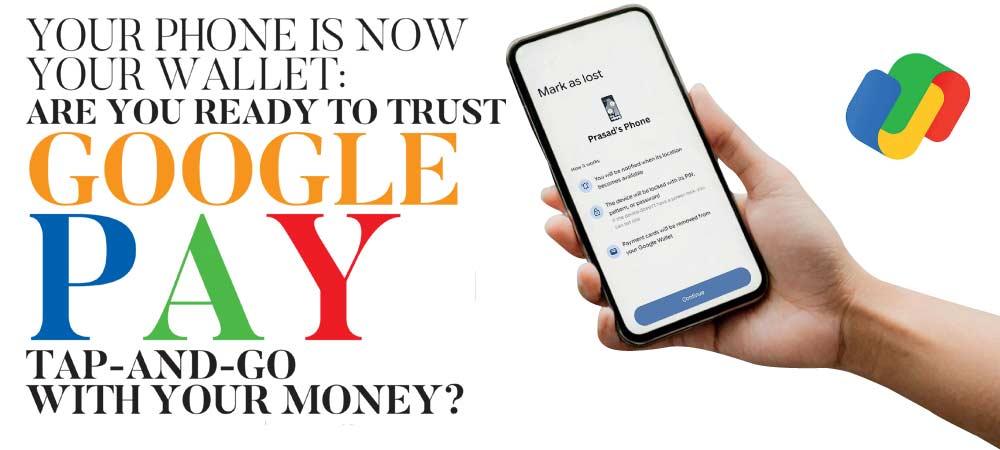
 Google Pay is now live in Sri Lanka. And if you shop in Colombo, this could change your daily routine overnight. In partnership with Commercial Bank and Visa, Google has released the long-promised “Tap to Pay” convenience we’ve been waiting for.
But once the launch-day excitement settles, tougher questions remain. How does it work? Is it safe? Who gets left behind? And is this single upgrade enough to stop Sri Lanka from falling behind in the global fintech race?
Here is your complete guide to the new digital reality.
The Era of Tap-and-Go Begins
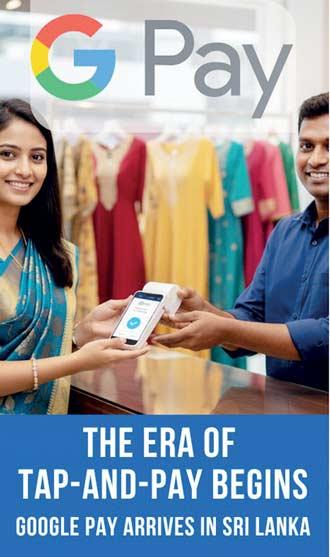 For years, we’ve watched tourists and friends overseas casually tap their phones to pay for a coffee or a quick grocery run, while we dug around for cash or a physical card. With this launch, Commercial Bank Visa cardholders can finally do the same. The idea is straightforward: your Android phone becomes your wallet. Through Near Field Communication (NFC) technology, you can now make payments at any merchant that accepts Visa “Tap to Pay” or “PayWave.” From supermarkets to clothing stores to high-end cafés, if the terminal supports contactless card payments, it will work with your NFC-enabled Android phone.
Getting Started: The Right App to Download
Do not get lost in the app store searching for “Commercial Bank Pay apps.” The platform lives within the Google ecosystem itself.
1. The App: Go to the Google Play Store and download Google Wallet.
2. The Setup: Open the app, tap ‘Add to Wallet,’ and scan your Commercial Bank Visa credit or debit card.
3. The Verification: You will receive a One-Time Password (OTP) from the bank to verify your identity.
4. The Magic Moment: Once verified, you don’t even need to open the app at the counter. Just wake up your phone (screen unlock on) and hold it near the card reader.
Important Note: Your phone must have NFC capabilities. While most mid-range and flagship Androids (Samsung, Pixel, etc.) have this, some budget-friendly models do not. Check your phone settings for “NFC” before you try to tap, or you might face an awkward moment at the register.
The Android vs. Apple Divide
Here is the “exclusive” catch that might frustrate a significant demographic. The “Tap to Pay” feature is currently exclusive to Android users.
If you are an iPhone loyalist, you cannot use your phone to tap at a physical store. Apple operates within its own system known as Apple Pay, which requires a separate agreement between Apple and local banks, something that has not happened yet.
However, Apple users are not entirely shut out. You can still use Google Pay for online transactions. If you are browsing a website or an app that supports Google Pay at checkout, you can use your saved Commercial Bank credentials to pay securely via the web, regardless of whether you are on an iPhone, iPad, or laptop. It is a convenience, certainly, but it isn’t the full experience.
Is It Really Safe? What Google Pay Means for Your Money
Whenever payments become digital, Sri Lankans ask the same question: “Is it safe?” Based on global cybersecurity standards, the answer is YES, and it is safe, in fact, it is likely safer than carrying your physical plastic card. The system relies on a technology called Tokenisation. When you tap your phone, Google Pay does not send your actual credit card number to the merchant. Instead, it creates a unique “virtual account number” for that specific transaction. This means that even if the merchant’s system is hacked later, your real bank details are nowhere to be found.
Furthermore, your data isn’t sitting vulnerably on your phone’s hard drive; it is encrypted and stored on Google’s secure servers, protected by teams dedicated to fraud monitoring.
However, the technology is only as safe as the user. Here is how to protect yourself:
 The Biometric Barrier: You cannot make a payment if your phone is locked. This is a critical safety feature. Ensure your device is protected by Face ID, a Fingerprint, or a strong PIN. If a thief snatches your phone, they cannot drain your account because they cannot unlock the screen to authorise the “tap.”
The “Find My Device” Fail-Safe: Lose your wallet, and the cash is gone. Lose your phone, and your money isn’t necessarily lost. With Google’s “Find My Device,” you can remotely lock your phone, sign out of your account, wipe all data, and even locate it. Just make sure the feature is enabled beforehand and get expert help if needed.
Stay Alert: While Google handles the technical security, you must handle the social engineering. Be wary of phishing SMS messages claiming your “Wallet is suspended.” Google and Commercial Bank will never ask for your PIN via text.
The Bigger Picture: Why We Need More Digital Payment Options
While we commend Commercial Bank for seizing the first-mover advantage, we must be realistic: Sri Lanka is still playing catch-up.
The introduction of Google Pay is a victory, but it highlights the glaring absence of other global giants like Apple Pay, Stripe, and full PayPal integration.
To move head-to-head with regional competitors like Vietnam, India, and Singapore, we cannot rely on piecemeal solutions.
Apple Pay is essential for our high-spending demographic and the tourism sector.
Stripe is critical for our tech industry; currently, Sri Lankan startups and freelancers struggle to accept payments globally without setting up costly entities abroad.
PayPal remains a half-baked solution here, with limited ability to move money freely. PayPal allows sending money from Sri Lanka but not receiving, and some geeks use different ways.
This launch should serve as a wake-up call. The Central Bank and our financial institutions need to aggressively pursue these integrations. We have the talent, we have the consumers, and as of today, we have the proof that the technology works.
For now, Android users, enjoy the tap. For the rest of the country, the push for a truly global digital economy continues.
12 Jul 2026 7 hours ago
12 Jul 2026 7 hours ago
12 Jul 2026 9 hours ago
12 Jul 2026 12 Jul 2026
12 Jul 2026 12 Jul 2026